

Hey there, Divi enthusiasts (like us)! 🤓
Welcome to the first installment of our “Divi Tips” series. Today, we’re diving into something cool, but also quite useful: the Timeline Feature. Once you see what this thing can do, you’ll be wanting to add it to your site asap!
Why Timelines? 📅
Timelines are a fantastic way to visually showcase events in chronological order. Whether it’s a history of your company, a step-by-step guide, or even a roadmap for future projects, timelines can make your content much more engaging and easier to follow (especially on mobile!).
Take a look at these examples to see timelines in action:
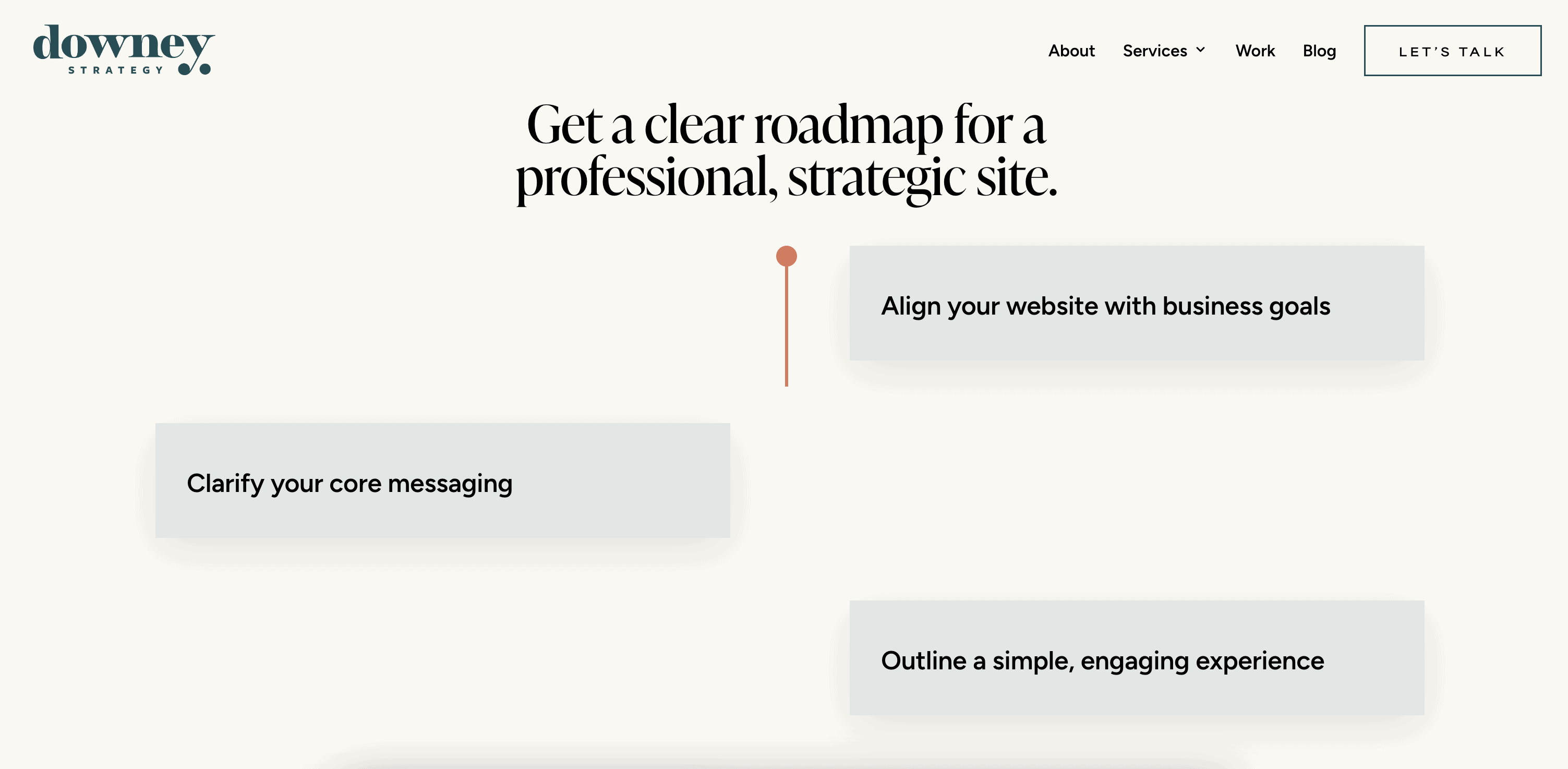
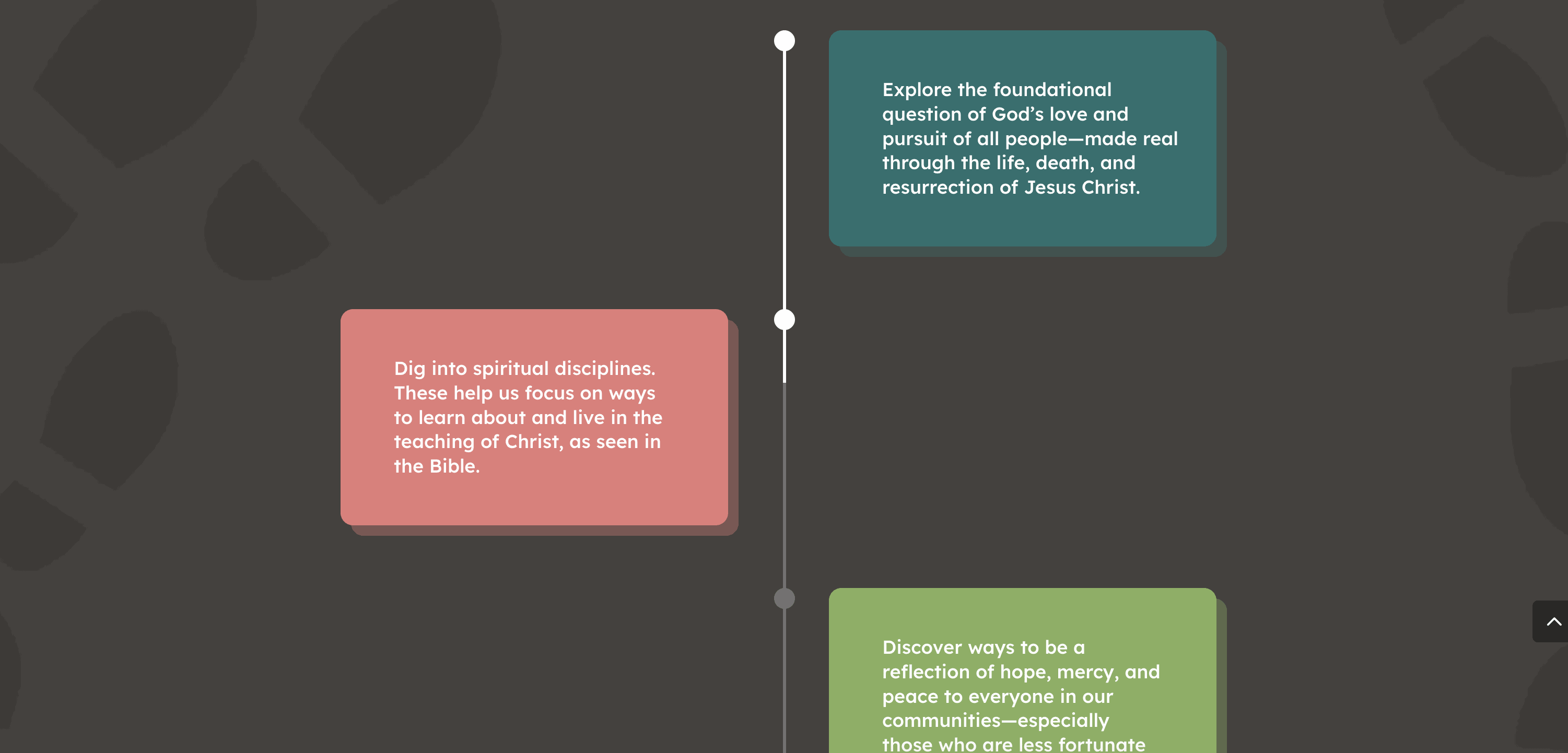
And for a quick demo, check these out:
Divi Supreme Content Timeline Module
Divi Pixel Timeline Module
Features & Benefits 🌟

Chronological Clarity
Timelines are perfect for presenting events in the order they happened, making your story clear and compelling.
Visual Engagement
With a connecting line that links elements as you scroll, timelines are not just informative but also visually appealing.
Versatility
Use them for more than just dates—think process steps, project roadmaps, or even a journey map for your clients.
Interactive Experience
A well-designed timeline keeps your audience engaged and encourages them to interact with your content.
How to Use the Timeline Feature in Divi 🛠️
Install and Activate
Make sure you have the Divi theme installed and active on your WordPress site. If you haven’t checked out the Divi Supreme or Divi Pixel modules, now’s the time! NOTE: As an ARTILLERY hosting client, this is already done for you!
Create a New Section
In your Divi Builder, add a new section where you want your timeline to appear.
Add the Timeline Module
Choose the timeline module from Divi Supreme or Divi Pixel. You’ll be amazed at how easy it is to customize.
Customize Your Timeline
Add your content—dates, descriptions, images. Play around with the styles and colors to match your brand.
Publish and Admire
Once you’re happy with your timeline, hit publish and watch as your visitors enjoy the seamless flow of your content.
Are you an ARTILLERY hosting client? If so, hit us up and we can help!
Pro Tips 💡
- Keep It Simple: Don’t overload your timeline with too much information. Stick to key events or steps.
- Use High-Quality Images: Visuals can make or break your timeline. Ensure your images (or icons!) are high resolution and relevant.
- Be Consistent: Make sure the style of your timeline matches the overall design of your website for a cohesive look.
Wrap-Up 🎉
And there you have it—our first tip in the “Divi Tips” series. Timelines are a game-changer for presenting information in an engaging, visually appealing way. Give it a try and let us know how it transforms your website!
Stay tuned for more tips and tricks on using Divi to make your website truly stand out. Got any specific topics you want us to cover? Drop them in the comments below!
Happy building! 🛠️✨